
8 Checks Before Clicking a Text Claiming to Be From a UK Bank
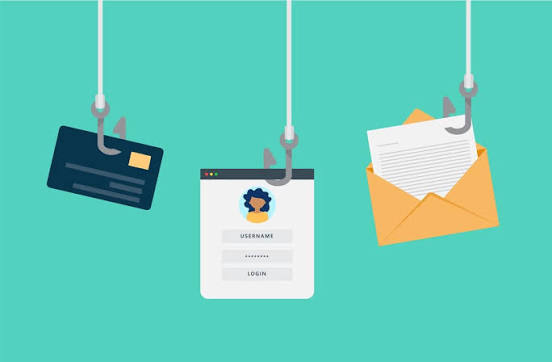
An unexpected bank text does not need to be opened to establish whether your account needs attention. Leave its link alone, open your usual banking app independently, or call the number on your card. I would treat the message as an unverified claim until the bank confirms it through a separate channel. These checks help you make that decision without testing a suspicious website.
1. Does the bank text match something you initiated?
A code requested during your own login is different from a warning that arrives while you are doing something unrelated. Read the entire message, including what any code authorises. A genuine code can still be exploited by a criminal who has triggered it. Do not approve a payment or login merely to cancel an alleged problem.
2. Are you trusting the sender label?
A familiar bank name or an existing message thread is not independent proof of origin. Criminals can imitate organisations and use personal information to sound convincing. Your name, address or partial account details do not establish that the sender works for the bank. Judge the requested action, then verify it outside the conversation.
3. Is the message steering you through a link?
Avoid opening it to see whether the page looks genuine. Copied branding and a professional layout can make a fraudulent page persuasive. A website name such as Local News Point is only a website name, not a bank credential. The safer route is the app you already use or a bank address you know independently.
4. Does it demand passwords, PINs or passcodes?
Do not send security information in a reply or disclose it to someone who calls after the text. One time passcodes deserve the same care as your PIN. Check the accompanying explanation, because a code may approve a new payee or payment rather than authenticate a conversation. Stop if the caller tells you to disregard the warning wording.
5. Are urgency and secrecy doing the persuading?
Threats of account closure, a rapidly expiring deadline or instructions not to tell anyone are reasons to pause. A fraud warning should not force you to abandon independent verification. Leave the conversation and contact the bank yourself. General reading on Weekly Journal can wait; checking a potentially exposed account takes priority over researching the message’s exact wording.
6. Are you being asked to move money or install software?
Treat a request to transfer money to a supposedly safe account as a major warning. Do not follow instructions to download remote access software or share your screen. Such access can expose banking information and allow someone to control your device. If software has already been installed, use another trusted device or telephone to contact the bank.
7. Can the bank confirm the issue independently?
Open the official app without using the text, or dial the number printed on your card. Do not call a number supplied in the suspicious message, even if it claims to reach a fraud department. Explain exactly what arrived and what you have done. If you entered banking details, ask the bank to secure the account immediately.
Keep the original text for evidence. A reference on Press Hubs cannot confirm the status of your individual account; that confirmation must come from the bank through a trusted route.
If a caller interrupts while you are checking, end that call too. A fraudster may combine a text with a convincing follow up conversation, so two contacts repeating the same story are not two independent confirmations. Write down the time, requested action and any payment amount. That makes it easier to explain the incident without revisiting the suspicious link or relying on the caller’s account of what happened during the exchange itself.
8. Have you reported it without engaging?
Forward suspicious texts to 7726 for free, then block the sender and delete the message after preserving anything needed for an investigation. If you shared passwords, change reused versions through official services. A click alone does not automatically mean compromise, but downloads, disclosed information or unusual activity call for further action. Verify first; never use the link as the verification method.


Leave a Comment